FAQ: AIRSTAGE Mobile How to initialize a wireless LAN adapter
0121
Answer
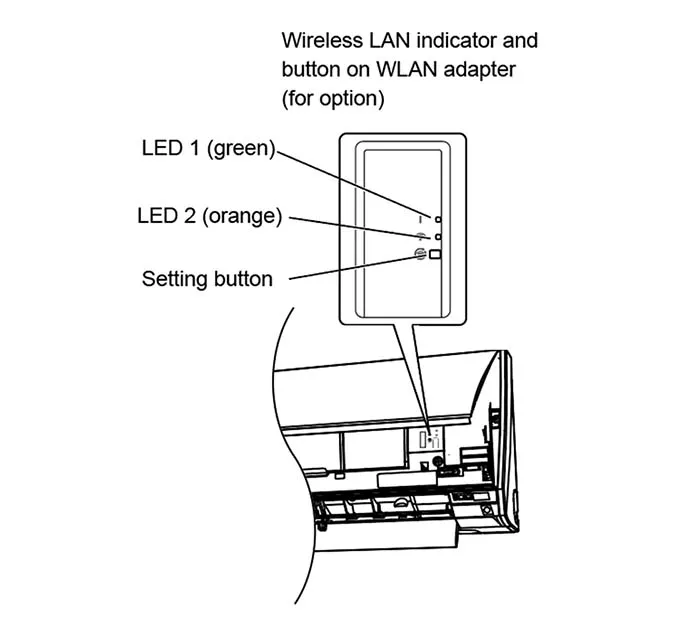
External types
1. Press and hold the Setting button for 12 seconds.
2. When the initialization starts, both LED 1 and LED 2 will flash(flashing on and off at 0.5-second intervals).
3.LED lamp will return to their original lighting patterns (LED 1: on; LED 2: off).
USB types
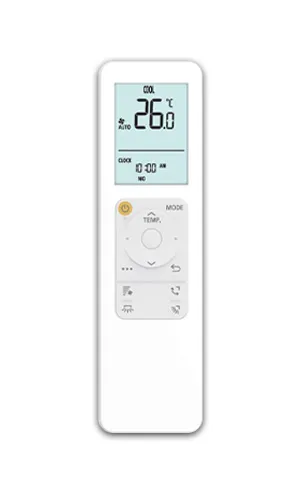
The initialization procedure varies depending on the remote controller type.
* For models without a wireless remote controller, check the initialization procedure in the operation manual of air conditioner.
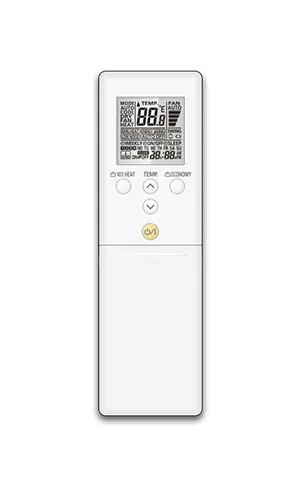
RC type1
RC type2
RC type3
RC type4
RC type5
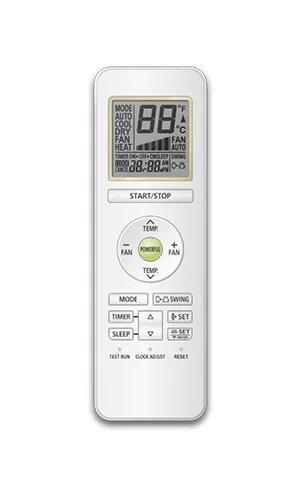
RC type6
For Remote Controller type 1
- Press [ … ] button.
- Press [∧∨/◁▷] button to select the item that contains
 , then press [ ○ ] button.
 - Press [∧∨] button to select , then press [ ○ ] button.
- Press [◁▷] button to select SETTING, then press [ ○ ] button.
- Press [∧∨/◁▷] button to select , then press and hold [ ○ ] for more than 5 seconds. “ ” indicator on the indoor unit will turn off after blinking fast.
 , then press [ ○ ] button.
 , then press and hold [ ○ ] for more than 5 seconds. “
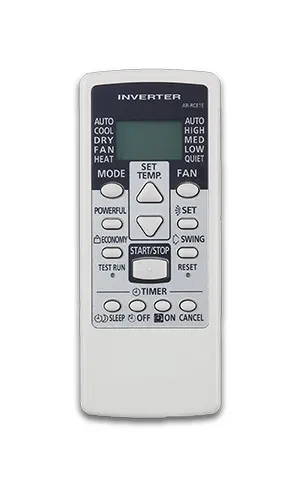
For Remote Controller type 2
- Press and hold the SEND or OFF (TIMER) button on the remote controller for more than 5 seconds.
- "Ln" and "1" will appear on the remote controller's screen.
- Select "2" using the TEMP button on the remote controller.
- Press the O/I button on the remote controller.
- "1n" will appear on the remote controller's screen.
- Press the O/I button on the remote controller. When the adapter initialization starts, the "WLAN" indicator lamp begins to blink. When initialization completes, the "WLAN" indicator goes off.
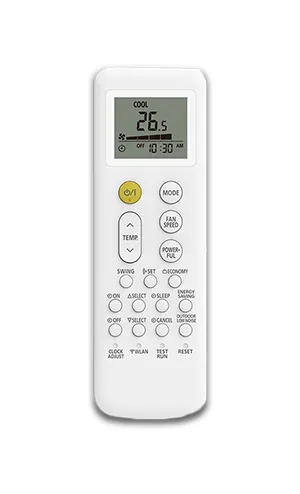
For Remote Controller type 3
- Press and hold the ON (Timer) button on the remote controller for more than 5 seconds.
- "L2" will appear on the remote controller's screen.
- Press the START/STOP button on the remote controller.
- "1n" will appear on the remote controller's screen.
- Press the START/STOP button again. When the adapter initialization starts, the "WLAN" indicator lamp begins to blink. When initialization completes, the "WLAN" indicator goes off.
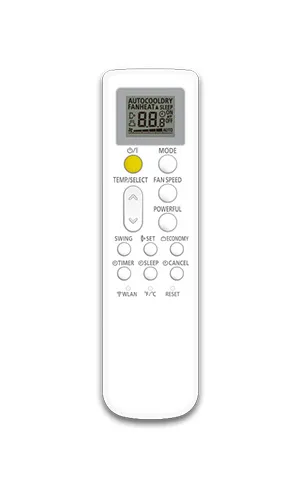
For Remote Controller type 4
- Press the WLAN button on the remote controller 3 times.
- "L3" will appear on the remote controller's screen.
- Press and hold the O/I button on the remote controller for more than 5 seconds. When the adapter initialization starts, the "WLAN" indicator lamp begins to blink. When initialization completes, the "WLAN" indicator goes off.
For Remote Controller type 5
- Press the WLAN button on the remote controller 3 times.
- "L3" will appear on the remote controller's screen.
- Press the O/I button on the remote controller .
- "1n" will appear on the remote controller's screen.
- Press and hold the O/I button on the remote controller for more than 5 seconds. When the adapter initialization starts, the "WLAN" indicator lamp begins to blink. When initialization completes, the "WLAN" indicator goes off.
For Remote Controller type 6
- Press and hold the TIMER button on the remote controller for more than 5 seconds.
- "Ln" and "1" will appear on the remote controller's screen.
- Select "2" using the TEMP button on the remote controller.
- Press the START/STOP button on the remote controller.
- "1n" will appear on the remote controller's screen.
- Press the START/STOP button on the remote controller. When the adapter initialization starts, the "WLAN" indicator lamp begins to blink. When initialization completes, the "WLAN" indicator goes off.
- *
- "AIRSTAGE Mobile" is a trademark of GENERAL Inc.