FGLair™ app SET UP - STEP4: Pairing External - Easy connection
1
Tap [+] to add a new air conditioner.
![Tap [+] to add a new air conditioner](https://media.airstagehvac.com/wp-content/uploads/sites/9/img-usb-rc1-easy-connection-ss-02.webp)
2
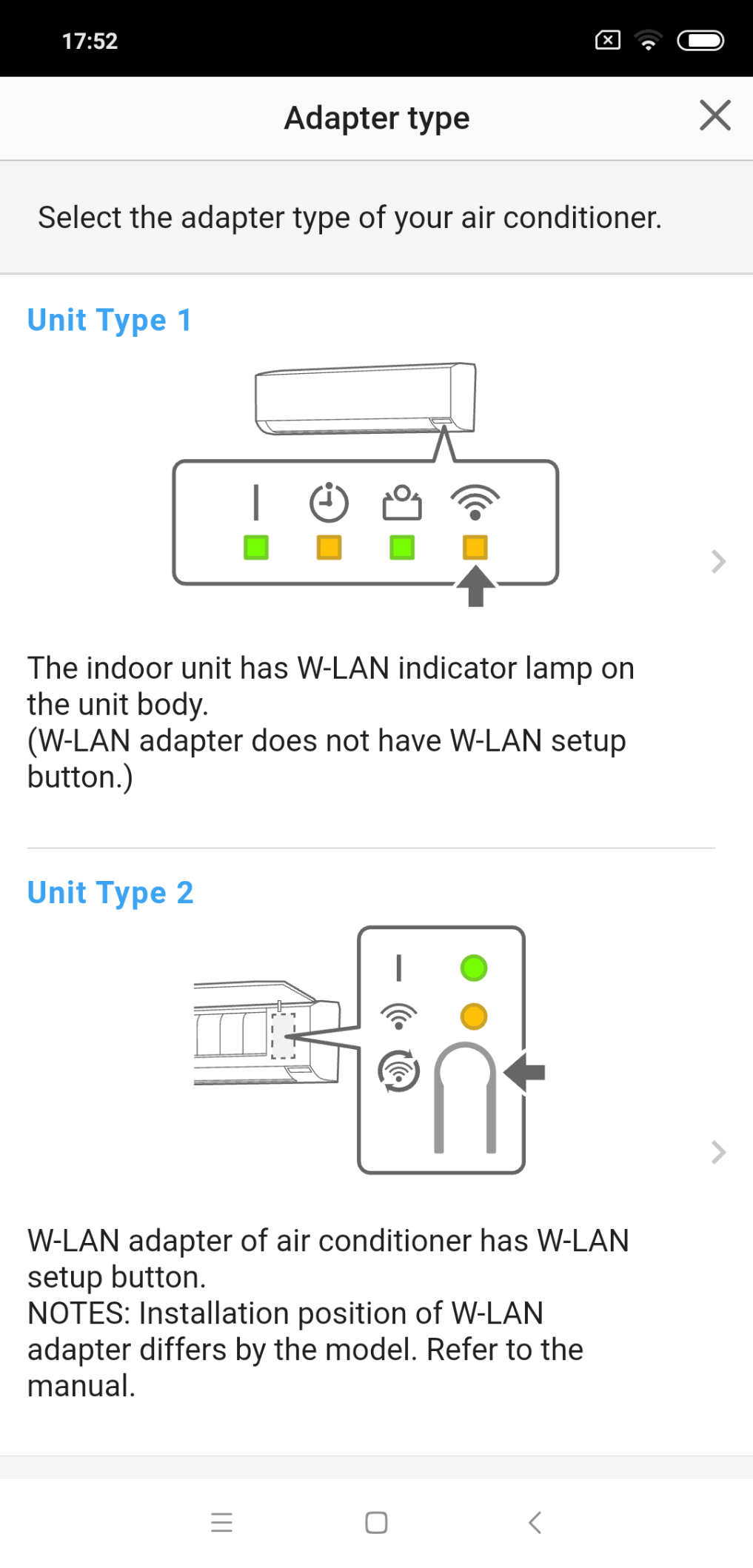
Select the adapter type of your air conditioner.
3
Read the note and tap [Next].
![Read the note and tap [Next]](https://media.airstagehvac.com/wp-content/uploads/sites/9/img-external-easy-connection-ss-04-02.webp)
4
Select a [Easy connection].
![Select a [Easy connection]](https://media.airstagehvac.com/wp-content/uploads/sites/9/img-external-easy-connection-ss-05.webp)
5
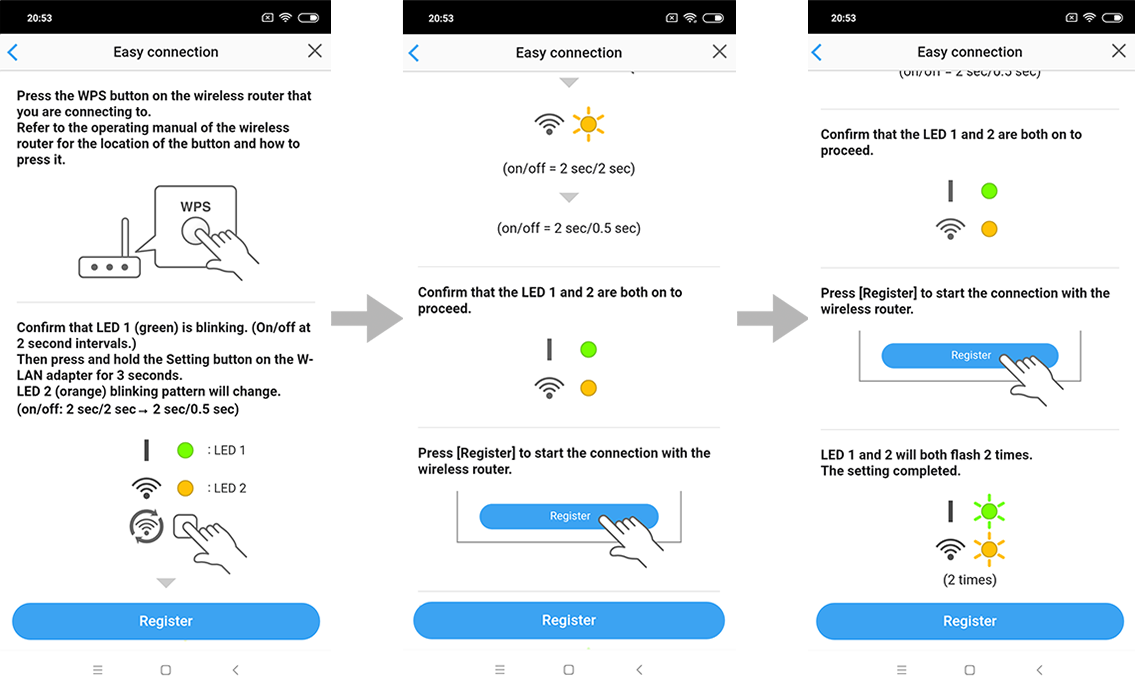
Press the WPS button on the wireless router that you are connecting to.
6
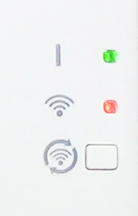
Confirm that LED 2 is flashing.(On/off at 2-second intervals.)
7
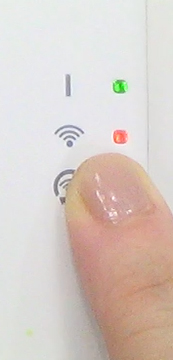
Then press and hold the Setting button on the W-LAN adapter for 3 seconds.
8
LED 2 lighting will change.(on/off: 2sec/2sec → 2sec/0.5sec)
9
Confirm that the LED 1 and 2 is both on to proceed.
10
Press [Register] to start the connection with the wireless router. Ckeck that the your mobile device is linked to the wireless router you are connecting the air conditioner.
![Press [Register] to start the connection with the wireless router. Ckeck that the your mobile device is linked to the wireless router you are connecting the air conditioner](https://media.airstagehvac.com/wp-content/uploads/sites/9/img-external-easy-connection-ss-11.webp)
11
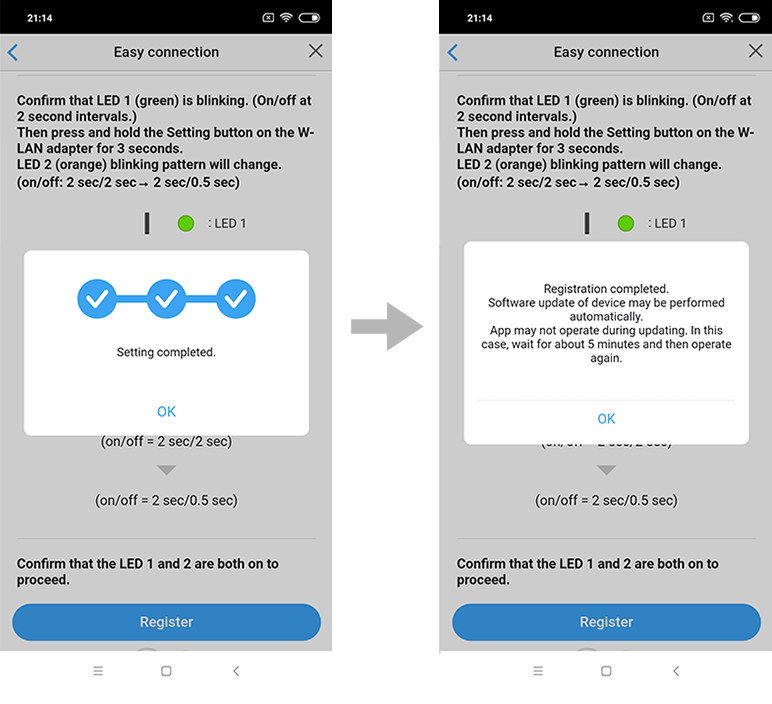
LED 1 and 2 will both flash 2 times. The setting is completed.
- *
- The time to complete the setting is different depending on the communication environment.
- *
- It takes max 10 minutes to complete the setting.
- *
- “FGLair” is a trademark of GENERAL Inc.
- *
- The company names and brand names referred to in this page are themselves the trademarks, registered trademarks, and products of the respective companies.
- *
- Screens, figures and movies are only for explanation.